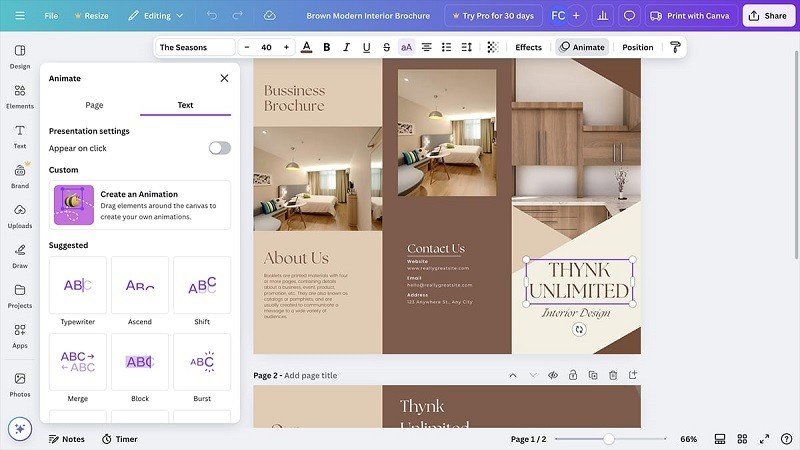
Creating an attractive brochure can be an effective way to promote a business, introduce a product, advertise an event, or share useful information. However, designing a brochure from scratch can sometimes require considerable time and effort. Modern online design platforms make this process easier by providing templates, editing features, and simple customization options. One popular option is the Adobe Express brochure maker, which can help users create polished promotional materials without requiring advanced graphic design experience.
Start With a Suitable Template
One of the easiest ways to begin a brochure project is by selecting a pre-designed template. Templates provide an established structure for headings, images, descriptions, and other important elements.
Instead of spending time deciding where every section should go, users can choose a layout that matches their purpose and customize it. Whether the brochure is for a business, school, restaurant, event, or personal project, selecting an appropriate template can provide a useful starting point.
Define Your Brochure’s Purpose
Before editing the design, determine what the brochure should communicate. A clear purpose makes it easier to choose the right information and avoid unnecessary content.
For example, a company brochure may focus on services and benefits, while a product brochure might highlight features, pricing, and purchasing information. An event brochure could include dates, locations, schedules, and registration details.
Keeping one main objective helps readers understand the message quickly.
Customize Text and Images
After selecting a layout, replace the sample content with your own information. Use a clear headline that immediately explains the subject of the brochure.
Keep paragraphs short and organize information using headings and bullet points. This makes the brochure easier to scan and helps readers locate important details.
Images are equally important. Select high-quality photographs or graphics that support your message. A restaurant might showcase its popular dishes, while a real estate company could include attractive property photographs.
Maintain a Consistent Visual Style
A professional brochure should have a consistent appearance from beginning to end. Choose colors that complement your brand and use them throughout the design.
Typography should also remain consistent. Select readable fonts for body text and stronger styles for headings. Using too many different fonts can make the brochure look confusing.
Good spacing is another important design element. Leave enough empty space around text and images so that the pages do not appear overcrowded.
Add Important Business Information
A brochure should provide readers with the details they need to take action. Depending on its purpose, this may include a business name, address, phone number, email address, website, social media information, pricing, or operating hours.
A clear call to action can make the brochure more effective. Encourage readers to contact your business, visit your website, make a booking, request information, or purchase a product.
Make Editing and Updates Easier
One advantage of digital brochure design is that information can be changed without rebuilding the entire project. If a phone number, price, address, or event date changes, you can update the relevant section.
You can also create different versions of the same design for various campaigns. For example, a business might maintain the same visual style while changing product information for seasonal promotions.
Review the Final Design
Before sharing or printing your brochure, carefully review every detail. Check spelling, grammar, contact information, dates, prices, and website addresses.
Look at the brochure from the reader’s perspective. Make sure the main message is easy to identify and that important information is not hidden among unnecessary details.
If the brochure is intended for printing, also check page dimensions, image quality, margins, and overall alignment.
Conclusion
A well-designed brochure can be a valuable marketing and communication tool. Using templates and straightforward editing features can reduce the complexity of creating a professional design.
By defining your purpose, choosing suitable visuals, organizing content clearly, maintaining consistent branding, and reviewing the finished project carefully, you can create a brochure that looks polished and communicates effectively. Whether used digitally or in print, a thoughtful brochure can help businesses and organizations present their message with confidence.